

Construction Fleet Telematics: Tracking Vehicles, Equipment and Utilisation

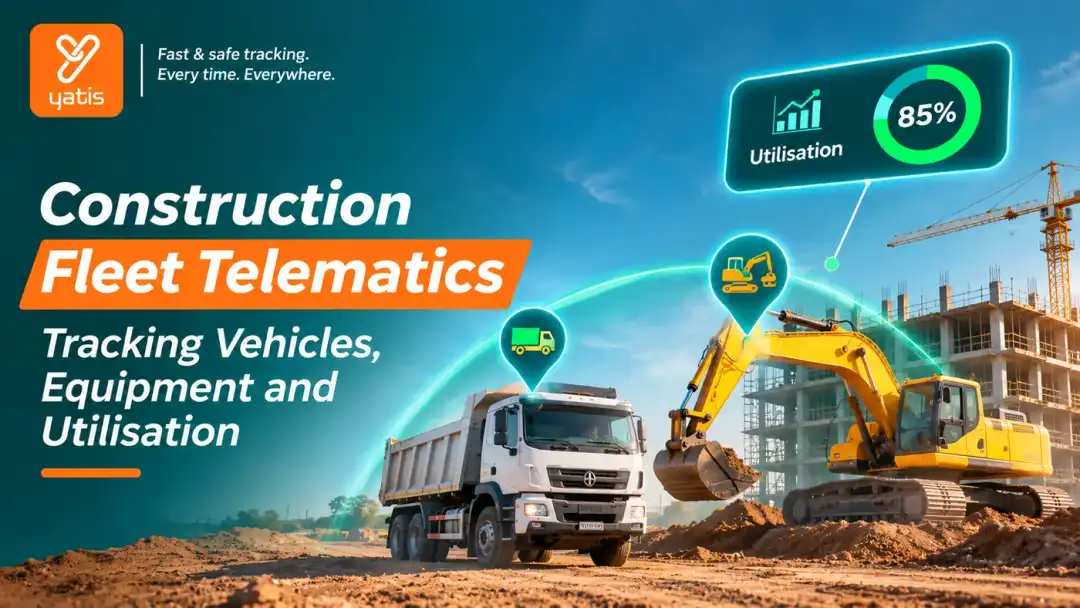
Construction operations depend on more than trucks and transport vehicles. Excavators, loaders, generators, compressors, cranes and other high-value assets move between sites, work for different durations and can remain idle when projects change. Construction fleet telematics brings vehicle and equipment data into one operational view—helping teams understand location, usage, movement, maintenance needs and security exceptions.
For contractors managing multiple projects, fleet telematics can reduce the uncertainty around “where is the asset, is it being used, and when was it last moved?” This is especially valuable when equipment is shared across sites, subcontractors operate vehicles, or assets are expensive to replace.
What is construction fleet telematics?
Construction fleet telematics is the use of connected devices, GPS positioning, sensors and fleet software to monitor and manage construction vehicles, machinery and mobile assets. Depending on equipment compatibility, a system may capture location, ignition status, engine hours, movement, fuel-related data, diagnostic information and configured alerts.
Construction telematics is broader than conventional road-fleet GPS tracking. It can cover on-road vehicles, off-road machinery and non-powered assets—each with different tracking, power and data requirements.
Why construction businesses need vehicle and equipment visibility
- Assets spread across sites: project teams may not have a reliable, current view of equipment location.
- Unplanned transfers: machines can move between sites without central records being updated promptly.
- Idle or underused equipment: assets may sit unused while another project hires similar equipment.
- Security exposure: equipment left overnight or moved outside working hours can create theft or loss risks.
- Maintenance uncertainty: calendar-only servicing may not reflect actual engine hours or usage.
- Fuel and operating costs: inconsistent records make it harder to investigate consumption patterns or unusual events.
- Project accountability: managers need evidence to reconcile deployment, utilisation and asset allocation.
8 capabilities that make construction fleet telematics useful
1. Vehicle tracking across project locations
GPS vehicle tracking provides location and trip visibility for trucks, pickups, service vans and other road vehicles. Fleet managers can review movement history, identify vehicles near a project and coordinate transfers or support trips. For remote or low-connectivity sites, confirm device coverage, data buffering and update frequency before deployment.
2. Construction equipment tracking
Equipment tracking helps teams locate excavators, loaders, rollers, cranes and other machinery. A suitable device may report location and movement even when the machine is not connected to an engine data interface. Installation should account for vibration, dust, water exposure, power availability and tamper risk.
3. Runtime and engine-hour monitoring
Engine-hour or runtime data can help distinguish equipment that is actively working from equipment that is merely present at a site. Where the machine interface supports it, runtime readings can support usage-based maintenance and utilisation analysis. GPS movement alone is not a reliable substitute for engine hours: stationary machinery can be operating, and a moving asset may be transported rather than working.
4. Geofencing for site control
Geofences define virtual boundaries around project sites, yards, depots or restricted areas. Entry and exit events can support site arrival records, asset transfer visibility and after-hours movement alerts. Use sensible boundary sizes and event rules to avoid false alerts caused by GPS drift or adjacent roads.
5. Theft-risk alerts and unauthorised movement
Movement alerts outside approved hours, unexpected ignition, geofence exits or device tampering can help teams respond sooner to suspicious activity. These are risk indicators—not proof of theft. Build a response workflow with named owners, escalation contacts and verification steps, and consider local connectivity and power limitations.
6. Fuel and operating data (where supported)
Fuel monitoring may use vehicle or machine data, compatible sensors, CAN/J1939 interfaces or other supported inputs. It can help investigate fuel consumption trends, refuelling records or unusual changes. Sensor accuracy, tank geometry, calibration and machine compatibility matter; avoid assuming every tracked asset can provide precise fuel readings.
7. Maintenance planning based on usage
Usage-based maintenance can combine engine hours, odometer readings, diagnostic events and service schedules. Alerts can remind teams when an asset approaches a maintenance threshold, helping reduce missed service intervals and unplanned downtime. Maintenance decisions should follow OEM guidance and the asset’s operating conditions.
8. Utilisation and fleet allocation insights
Location and runtime records help managers assess which assets are active, idle, underused or repeatedly moved. By comparing utilisation across sites and equipment types, businesses can make better-informed decisions about redeployment, rental requirements and fleet sizing. Utilisation should be defined consistently for each asset class and project.
Construction fleet and equipment KPIs to measure
Start with a few indicators that align to project objectives. Define each metric by asset class and reporting period, and document whether the value comes from GPS, engine data, sensors or a manual work log.
| KPI | Operational question | Potential data source |
|---|---|---|
| Asset location status | Where is the vehicle or machine now? | GPS device location |
| Engine hours / runtime | How long has the equipment operated? | Engine interface or compatible runtime input |
| Utilisation rate | How much available time is productive use? | Runtime + planned availability + project records |
| Idle duration | Where are avoidable idle patterns occurring? | Ignition/runtime and movement events |
| Site entry / exit | When did an asset arrive or leave a project? | Geofence events |
| Unauthorised movement alerts | Was movement detected outside approved rules? | Movement, ignition and geofence alerts |
| Fuel consumption trend | Is consumption changing unexpectedly? | Compatible fuel sensor or vehicle data |
| Maintenance due status | Which assets are approaching service? | Engine hours, odometer and maintenance plan |
| Fleet availability | Which assets are ready for redeployment? | Maintenance status + project allocation |
Illustrative KPI framework—not a claim that every device or asset supports every data point.
How to implement construction telematics across sites
- Inventory the asset base. List vehicles, powered equipment, non-powered assets, ownership/rental status, make/model, operating environment and current tracking gaps.
- Segment by data requirement. Decide whether each asset needs location-only tracking, engine-hour monitoring, fuel/diagnostic data or a combination.
- Validate device compatibility. Confirm power, machine interfaces, installation conditions, coverage and expected reporting frequency with the device provider and OEM requirements.
- Map project geofences. Create site, yard and restricted-area boundaries; establish operating hours and alert thresholds.
- Define alert ownership. Assign who receives after-hours movement, geofence, tamper or maintenance alerts—and what action follows.
- Run a representative pilot. Include a road vehicle, a heavy machine and (if relevant) a non-powered asset to test different tracking needs.
- Integrate operations records. Connect asset IDs with project allocation, rental records, maintenance schedules and equipment registers.
- Review and scale. Check data quality, alert volume, user adoption and measurable outcomes before expanding site by site.
Construction telematics vs. traditional GPS tracking
| Traditional vehicle GPS tracking | Construction fleet telematics |
|---|---|
| Primarily road vehicles and trips | Road vehicles, heavy equipment and selected mobile assets |
| Location, movement and trip history | Location plus runtime, engine/fuel data or diagnostics where compatible |
| Fleet-level route and driver visibility | Site-level asset allocation, utilisation and exception monitoring |
| Vehicle-centric reports | Project, equipment class and asset lifecycle reporting |
| Vehicle service reminders | Potential usage-based maintenance for compatible machinery |
The distinction is capability and configuration, not a universal product boundary. Some GPS platforms offer equipment tracking; some construction solutions specialise in machine telematics and OEM integrations.
Construction asset tracking checklist
Security, privacy and responsible equipment monitoring
Asset tracking is most effective when supported by clear governance. Restrict dashboard access, protect device credentials, establish data retention rules and document who can view location or movement history. For vehicles assigned to employees or subcontractors, communicate monitoring purposes and applicable policies. Consider local privacy and employment requirements, and treat alerts as signals that require verification—not automatic proof of wrongdoing.
Frequently asked questions
What is construction fleet telematics?
Construction fleet telematics uses GPS, connected devices and compatible machine data to monitor construction vehicles, heavy equipment and mobile assets. It can provide location, runtime, movement, geofence alerts, maintenance and utilisation insights depending on hardware and configuration.
Can construction telematics track excavators and loaders?
Yes, when a suitable tracking device is installed and configured. Location-only tracking can work independently of engine data; runtime, fuel or diagnostic information requires compatible machine interfaces or sensors.
How does equipment tracking reduce theft risk?
Tracking can reveal unexpected movement, site exits or activity outside approved hours and support a faster verification and response process. It does not guarantee theft prevention or recovery.
Can telematics measure construction equipment utilisation?
It can support utilisation measurement by combining runtime or engine hours with availability and project allocation records. The formula and thresholds should be defined consistently for each equipment class.
Does GPS tracking show machine runtime?
Not reliably by itself. GPS movement indicates location and travel; runtime typically requires ignition, engine-hour data or another compatible operating signal. Stationary equipment may still be working.
Can construction fleet telematics monitor fuel?
Fuel monitoring is possible on compatible vehicles or machines using supported onboard data or calibrated sensors. Availability and accuracy depend on asset make/model, interface, sensor installation and calibration.
What is the difference between asset tracking and equipment telematics?
Asset tracking often focuses on location and movement. Equipment telematics can add machine operating data such as runtime, diagnostics, fuel or maintenance indicators when supported. The capabilities overlap depending on the solution.
How should a contractor start a telematics deployment?
Begin with an asset inventory and use-case prioritisation, select tracking types by equipment category, validate compatibility, pilot on representative assets, configure geofences and alerts, then scale after reviewing data quality and outcomes.
Make every construction asset easier to locate and manage
Bring vehicle and equipment visibility into a more structured fleet operation with connected tracking and actionable insights.
Explore YatisTalk to the teamRelated resources
- Yatis Telematics — fleet tracking and visibility solutions
- Yatis Resources — guides and insights
- Asset Tracking — explore asset visibility capabilities
- Fleet Management — explore fleet management capabilities
External references: See the ISO 55000 asset management overview for asset-management principles, the CISA physical security resources for general security planning.