

Field Service Fleet Management: How Telematics Improves Technician Productivity

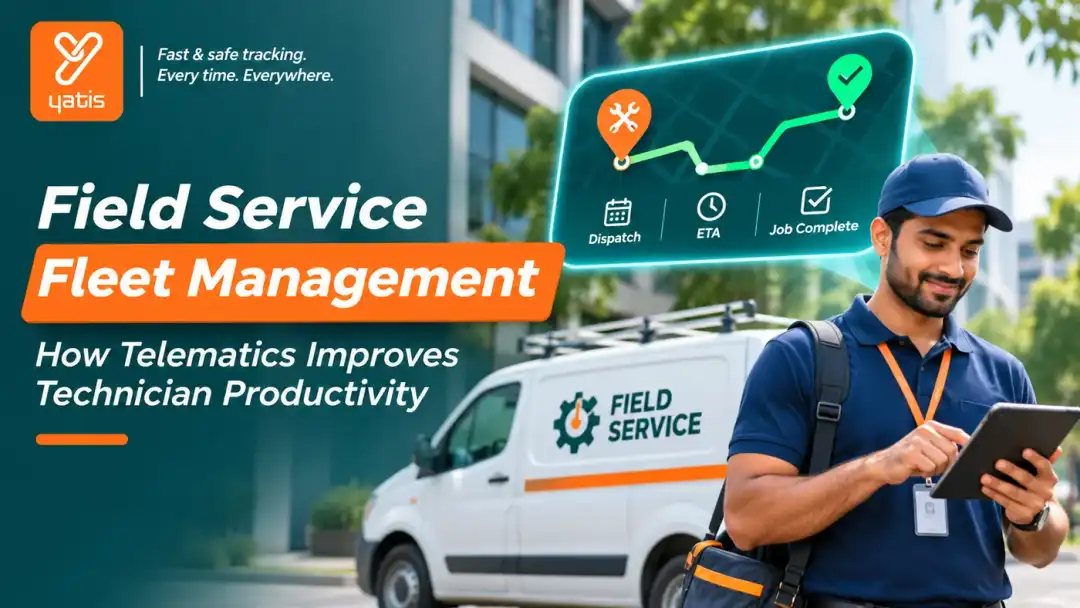
When technicians spend hours travelling between jobs, service businesses lose productive time, miss appointment windows and struggle to communicate accurate ETAs. Field service fleet telematics connects vehicles, dispatch teams and on-ground technicians with live operational visibility—helping organisations coordinate work more efficiently and deliver a more reliable customer experience.
For teams managing installation, maintenance, repair, inspections or customer support visits, fleet telematics can turn vehicle movement into actionable operational information. It does not replace a field service management (FSM) platform or a technician’s job expertise. Instead, it strengthens the mobility layer: where vehicles are, how they are moving, whether a route is progressing as expected and what happened during the trip.
What is field service fleet telematics?
Field service fleet telematics is the use of connected vehicle devices, GPS data and fleet software to monitor and manage vehicles that carry technicians to customer locations. It supports mobile workforce operations by making vehicle location, trip history, driving behaviour and journey exceptions visible to authorised teams.
In a connected field service operation, dispatchers can use location and trip information alongside work orders, appointment windows, technician skills and customer priorities. The result is better-informed coordination—not simply a map with moving vehicle icons.
Why technician productivity is often constrained by travel
Technician productivity is influenced by much more than the time spent repairing or installing equipment. Travel delays, poor dispatch decisions, unplanned detours, unclear ETAs and manual status calls can reduce the number of jobs a team completes in a day.
- Dispatch friction: supervisors may not know which available technician or vehicle is closest to a new assignment.
- ETA uncertainty: customers and service desks receive estimates that are not based on current journey progress.
- Route inefficiency: repeated backtracking or avoidable travel increases time on the road.
- Low visibility between jobs: the gap between job closure and the next arrival can be difficult to explain.
- Safety and accountability: speeding, unusual stops or route deviations may go unnoticed until a complaint or incident.
- Reporting gaps: manual logs make it harder to compare planned activity with actual vehicle movement.
7 ways telematics improves field technician productivity
1. Smarter dispatch decisions with vehicle location
Live GPS tracking helps dispatchers identify vehicles that are nearby or already moving towards a service area. Combined with technician availability, skills and job priority in the FSM system, location context can support more practical assignments and reduce unnecessary travel. Proximity alone should not determine dispatch: capability, workload, appointment commitments and traffic conditions also matter.
2. More reliable customer ETAs
Current vehicle position and journey progress provide a stronger basis for communicating arrival estimates than static assumptions. Operations teams can spot a delayed journey, update the service desk and proactively inform customers. Accurate ETA communication reduces avoidable “where is my technician?” calls and helps customers plan their time.
3. Better route visibility and travel efficiency
Trip history and route monitoring help managers review distance travelled, repeated detours, long idle periods and patterns of inefficient movement. Telematics can support route planning and route adherence; advanced optimisation generally requires routing software or integration with an FSM platform that considers traffic, job duration, time windows and technician skills.
4. Clearer job arrival and completion evidence
Geofences around customer sites can create arrival or departure events when a vehicle enters or exits a defined area. These events can support operational verification and job timelines. A vehicle entering a site is not proof that a technician completed the work, so job completion should be confirmed through the work-order system, technician app or customer sign-off.
5. Improved technician and vehicle safety
Configurable alerts for speeding, harsh driving, extended stops or unexpected movement can help supervisors identify risk and coach drivers. SOS or emergency workflows, where supported and configured, can improve escalation. Use alerts proportionately, explain monitoring policies to employees and avoid treating a single event as conclusive evidence of misconduct.
6. Higher vehicle utilisation and more productive hours
Vehicle utilisation reporting can reveal vehicles that are underused, excessive non-productive movement or recurring gaps between assignments. Managers can compare working patterns and deployment needs, then adjust schedules, territories or fleet allocation. The goal is balanced utilisation—not maximising driving or tracking every minute without context.
7. SLA visibility and data-backed service reviews
When telematics journey events are aligned with job records, teams can analyse on-time arrival, travel duration, response time and service coverage. This supports more transparent SLA reviews and helps identify whether delays originate in dispatch, travel, scheduling, site access or job execution.
Field service fleet management KPIs to track
Start with a small set of measurable indicators, define each metric consistently and establish a baseline before setting targets. Telematics data alone may not capture the full job lifecycle; use work-order timestamps and technician updates where required.
| KPI | What it tells you | Suggested data source |
|---|---|---|
| On-time arrival rate | Share of jobs reached within the agreed appointment window | Job schedule + geofence/arrival event |
| Average travel time per job | Time spent travelling to service locations | Trip start/end + work-order link |
| Travel distance per completed job | Distance required to serve a job or territory | GPS trip records + completed jobs |
| Vehicle utilisation | How effectively available fleet capacity is used | Ignition/movement hours + operating schedule |
| Idle time | Stationary time while vehicle is running or during defined periods | Telematics idle events; clear business rules |
| Route deviation events | Unplanned departures from a defined route or corridor | Route/geofence rules + alert history |
| Jobs completed per shift | Output per technician or team, interpreted with job complexity | FSM/work-order system |
| SLA compliance | Performance against response or arrival commitments | SLA timestamps + job records |
Use these measures diagnostically. A higher job count is not automatically better if job complexity, quality, safety or customer outcomes deteriorate.
How to implement field service telematics: a practical sequence
- Map the operating model. Document service territories, fleet size, job types, appointment windows, dispatch rules and current reporting gaps.
- Choose the right tracking scope. Decide which vehicles need GPS devices, what data is necessary and which roles can access it.
- Configure operational rules. Set relevant geofences, overspeed thresholds, route exceptions, idle alerts and escalation ownership. Avoid alert overload.
- Connect vehicle events to jobs. Use APIs or workflow integration where available to associate trips, arrival events and exceptions with work orders.
- Train dispatchers and technicians. Explain the purpose, data handling, escalation steps and how employees can correct inaccurate records.
- Run a pilot. Test in one territory or service team; validate GPS quality, event accuracy and user adoption before scaling.
- Review results and improve. Compare baseline and pilot KPIs, investigate exceptions and refine rules, routes and staffing decisions.
Where field service fleet telematics fits in the technology stack
GPS / telematics platform: vehicle location, trip history, driving events, geofences and fleet dashboards.
Field Service Management (FSM): work orders, customer appointments, technician skills, task assignment and job completion.
CRM / ERP: customer records, contracts, asset history, billing and service entitlements.
Integration layer: APIs or connectors that exchange assignment, ETA, arrival, exception and completion information between systems.
Customer communication: service desk or messaging workflows that provide ETA updates and appointment changes.
This separation matters: fleet tracking can improve visibility into vehicle movement, while an FSM platform manages the service task itself. The strongest workflow is one in which both systems share reliable identifiers and timestamps.
Industries that benefit from technician tracking and mobile workforce visibility
- Telecom installation, network maintenance and infrastructure service teams
- HVAC, electrical, plumbing and equipment repair providers
- Home appliance installation and after-sales service fleets
- Medical equipment, industrial machinery and preventive maintenance teams
- Utilities, inspection, field audit and facility-management operations
- Courier, on-site support and business-to-business service fleets
Each use case has different requirements. A maintenance provider may prioritise repeat visits and asset history; a telecom team may focus on appointment adherence and territory coverage; an emergency service operation may require rapid dispatch and escalation.
Privacy, employee trust and responsible monitoring
Technician tracking should be transparent, proportionate and governed. Define the business purpose, communicate when tracking is active, restrict access to authorised users, retain data only as long as needed and establish a process to review disputed events. Consider off-duty privacy, personal vehicle use, local employment requirements and applicable data-protection obligations before deployment.
Frequently asked questions
What is field service fleet management?
Field service fleet management coordinates vehicles and mobile technicians travelling to customer sites. It can include dispatch planning, GPS tracking, route visibility, vehicle safety, utilisation analysis and service performance reporting.
How does telematics improve technician productivity?
Telematics gives dispatchers live vehicle location and trip information, helping them coordinate assignments, communicate more credible ETAs, identify travel inefficiencies, monitor exceptions and review utilisation. Productivity improvements depend on process changes and integration with job records.
Can GPS tracking show whether a technician completed a job?
GPS or geofence events can indicate that a vehicle reached or left a customer location. They cannot independently prove that the work was completed. Completion should be recorded in the work-order system or confirmed through an appropriate technician or customer workflow.
What is the difference between technician tracking and employee monitoring?
Technician tracking focuses on operational vehicle or job movement for defined service purposes. Employee monitoring can be broader. Organisations should clearly define scope, communicate policies and limit access and collection to what is necessary.
Does field service telematics replace FSM software?
No. Telematics provides vehicle and journey intelligence; FSM software manages work orders, schedules, skills, customer appointments and job completion. Integration between the two can create a more complete operational view.
Which KPIs should a field service team measure first?
Useful starting measures include on-time arrival, travel time per job, travel distance per completed job, vehicle utilisation, idle time, route exceptions and SLA compliance. Pair telematics events with work-order data and interpret results by job type and complexity.
How quickly can a field service fleet tracking system be deployed?
Deployment time depends on fleet size, device installation, data quality, integrations, geofence configuration, training and pilot scope. A phased pilot is usually a safer way to validate workflows before a wider rollout.
Bring more visibility to your mobile service fleet
Explore how connected fleet visibility can support dispatch coordination, technician safety and operational reporting.
Explore YatisTalk to the teamRelated resources
- Yatis Telematics — fleet visibility and tracking solutions
- Yatis Resources — guides and insights
- Fleet Management — explore relevant fleet management capabilities
- Mobile Workforce — connect vehicle visibility with field operations
External references: For general guidance on privacy and responsible data handling, review the Government of India’s data-protection framework resources. For structured data implementation, consult