

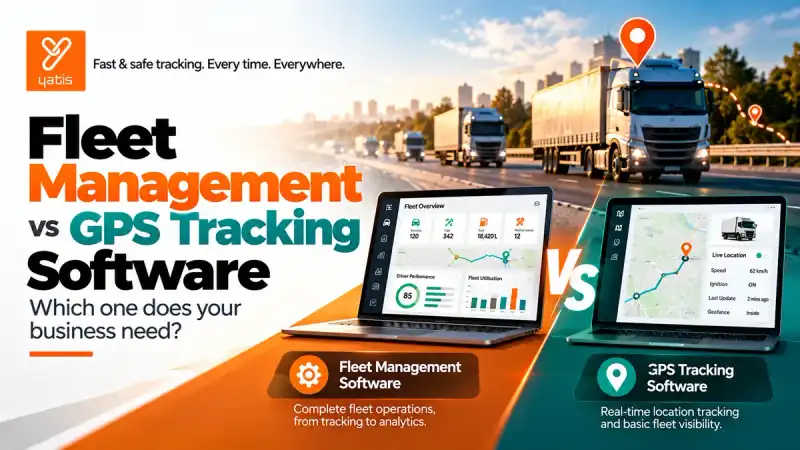
Fleet Management Software vs GPS Tracking Software: Which One Does Your Business Need?

The relationship at a glance
Location + trips
Geofence + exceptions
Connected workflows
Control + decisions
GPS tracking is often one layer within a broader fleet management system. Exact feature coverage varies by vendor and subscription.
1. Use Cases: What Problem Are You Trying to Solve?
The best starting point is not the product category; it is the operating problem. A business that needs to locate delivery vehicles may have different needs from a logistics operator managing utilisation, fuel, maintenance, safety and customer reporting across several depots.
| Business need | GPS tracking software may be enough when… | Fleet management software is worth evaluating when… |
|---|---|---|
| Vehicle visibility | You need live location, trip history and stop information. | Location data must feed into dispatch, utilisation or wider operational workflows. |
| Route and trip control | You need route replay, geofences and location-based alerts. | You also need trip planning, job assignment, exception ownership or performance reporting. |
| Fuel and operating costs | You need basic location context around trips and stops. | You need fuel monitoring, idling analysis, cost-per-kilometre or cross-vehicle reporting. |
| Driver safety | You need supported speed or location-related alerts. | You need driver scorecards, coaching workflows, event trends or video integrations. |
| Maintenance | Basic location and usage information is sufficient. | You need service schedules, downtime visibility, maintenance records or reminders. |
| Management reporting | A small set of standard tracking reports meets the need. | Different teams need dashboards, scheduled reports and data integrations. |
To explore a location-first solution, see the Yatis GPS Tracking System. For wider fleet workflows, review the Yatis product portfolio and confirm which modules match your requirements.
2. Feature Depth: Tracking Is a Capability; Management Is a Workflow
Product labels are not standardised across the market. Some vendors call a feature-rich tracking dashboard “fleet management”; others separate GPS tracking from maintenance, fuel or analytics modules. Compare actual capabilities and package inclusions rather than relying on the name.
| Capability | GPS tracking software | Broader fleet management software |
|---|---|---|
| Live location and trip history | Core feature | Usually included or integrated |
| Geofences and location alerts | Common | Common, often tied to workflows |
| Driver behaviour events | Available when device/data supports them | May add scorecards, coaching and trend analysis |
| Fuel monitoring | May be optional or integrated | May connect fuel data with cost and performance reports |
| Maintenance management | Not usually the primary focus | May include schedules, service records and downtime workflows |
| Utilisation and productivity | Basic trip/activity views | May consolidate vehicle, driver, trip and depot metrics |
| Business integrations | Exports or APIs may be available | May offer broader ERP, TMS, maintenance and BI integration |
| Video telematics | Requires compatible camera/system integration | May combine video events with location and driver data |
3. Users: Who Will Use the System?
Choose software based on the decisions people need to make, not only on the number of dashboard features.
If only one person needs occasional vehicle location, a simple tracking system may be easier to adopt. If operations, safety, maintenance and finance all need connected information, check whether a broader platform can provide role-based views without duplicating work.
4. Integrations: Will the Data Fit Your Existing Systems?
GPS data can become more useful when it connects to the systems your team already uses. Integration needs may include ERP, transport management systems (TMS), order management, maintenance software, fuel systems, payroll, customer portals or business intelligence tools.
- Is there a documented API or supported integration?
- Can data be exported in a clean, usable format?
- Can vehicle, driver, trip and job identifiers be matched?
- Are integration setup and maintenance included or charged separately?
- Can you retrieve your data if you switch vendors?
Do not treat “API available” as proof of a ready-made integration. Ask the vendor to demonstrate your highest-priority data flow and identify who owns troubleshooting.
5. Reporting and Analytics: What Decisions Must the Data Support?
Tracking reports usually answer where a vehicle went and when. Broader fleet analytics can combine tracking with fuel, safety, maintenance, utilisation and cost information—if the necessary data is available and the product supports it.
| Report / KPI | Question it helps answer |
|---|---|
| Trip history and stop duration | Where was time spent during a trip? |
| Route deviation and geofence events | Did the vehicle leave an expected route or enter/exit a defined area? |
| Utilisation and downtime | Are vehicles being used effectively, and when are they unavailable? |
| Idling and fuel metrics | Where might avoidable running time or fuel use exist? |
| Driver-event trends | Which events need review, coaching or follow-up? |
| Cost per kilometre | How does vehicle operating cost vary over time or across the fleet? |
Ask for metric definitions, data sources, report scheduling, filters, exports and missing-data handling. A colourful dashboard is not enough if teams cannot explain how its numbers were calculated.
6. Cost: Compare Total Cost of Ownership
GPS tracking may have a narrower initial scope, but total cost depends on hardware, installation, SIM/data, platform subscription, support and add-ons. Fleet management software may bundle more functions or price them as separate modules. There is no universal rule that one category always costs less.
Compare like with like
Compare the same vehicle count, contract duration, required features, data retention, support level and installation scope.
Request a written quote that separates one-time and recurring charges. Check minimum fleet sizes, renewal terms, extra user or API fees, storage charges, device replacement, data export and early termination conditions. For a fuller pricing method, use a total-cost-of-ownership model rather than comparing the headline subscription alone.
7. Decision Tree: Which One Does Your Business Need?
Use this practical decision tree
If yes, begin by evaluating GPS tracking software.
Decision rule: Choose the simplest system that reliably solves your priority problems and can grow with your needs. Do not pay for modules you will not use—but do not choose a narrow system if it forces teams to maintain disconnected spreadsheets and duplicate processes.
8. Common Buying Mistakes
Choosing by product name
“GPS tracking” and “fleet management” are not consistent feature bundles. Compare a requirement-by-requirement matrix.
Comparing only the monthly price
Include devices, installation, data, platform tiers, support, integrations and exit costs.
Assuming all reports mean the same thing
Ask how metrics are calculated and test a sample against known records.
Ignoring adoption
A system that teams find difficult to use may not change operations. Include dispatchers, fleet managers and other users in the pilot.
Skipping data portability
Confirm what data can be exported, in what format, and what happens at contract end.
9. Pilot Checklist Before You Commit
- Choose representative vehicles, routes and users.
- Agree on success criteria before testing begins.
- Validate live location, trip replay, alerts and report accuracy.
- Test any driver, fuel, maintenance or utilisation modules required.
- Demonstrate one or more priority integrations.
- Measure user adoption, support response and data completeness.
- Calculate full TCO over the intended contract period.
- Document gaps, responsibilities and rollout conditions.
Where Yatis Fits
Once you have defined the requirements, compare Yatis against the same criteria as other shortlisted providers. If your priority is location visibility, trip history, alerts and route monitoring, review the Yatis GPS Tracking System. If you need a broader solution, explore the Yatis fleet and IoT product portfolio and confirm the precise feature, integration and support coverage relevant to your operation.
Ask for a demonstration based on your use cases and validate the platform through a pilot. The best choice is the one that meets your requirements at a transparent total cost—not simply the one with the longest feature list.
Frequently Asked Questions
External Sources & Further Reading
- NIST Cybersecurity — useful background for assessing security practices in connected software systems.
- MeitY Data Protection Framework — review India data-protection information relevant to your deployment.
- TRAI — telecom-sector information and regulation.
These references provide general context. Confirm the current requirements and relevance for your particular vehicle category, data flows and deployment.
Ready to get started?
Contact Yatis Telematics to evaluate whether GPS tracking or broader fleet management software is the right fit for your fleet.
Contact Us →