

How to Install an AI Dash Cam in a Commercial Vehicle (Step-by-Step Guide)

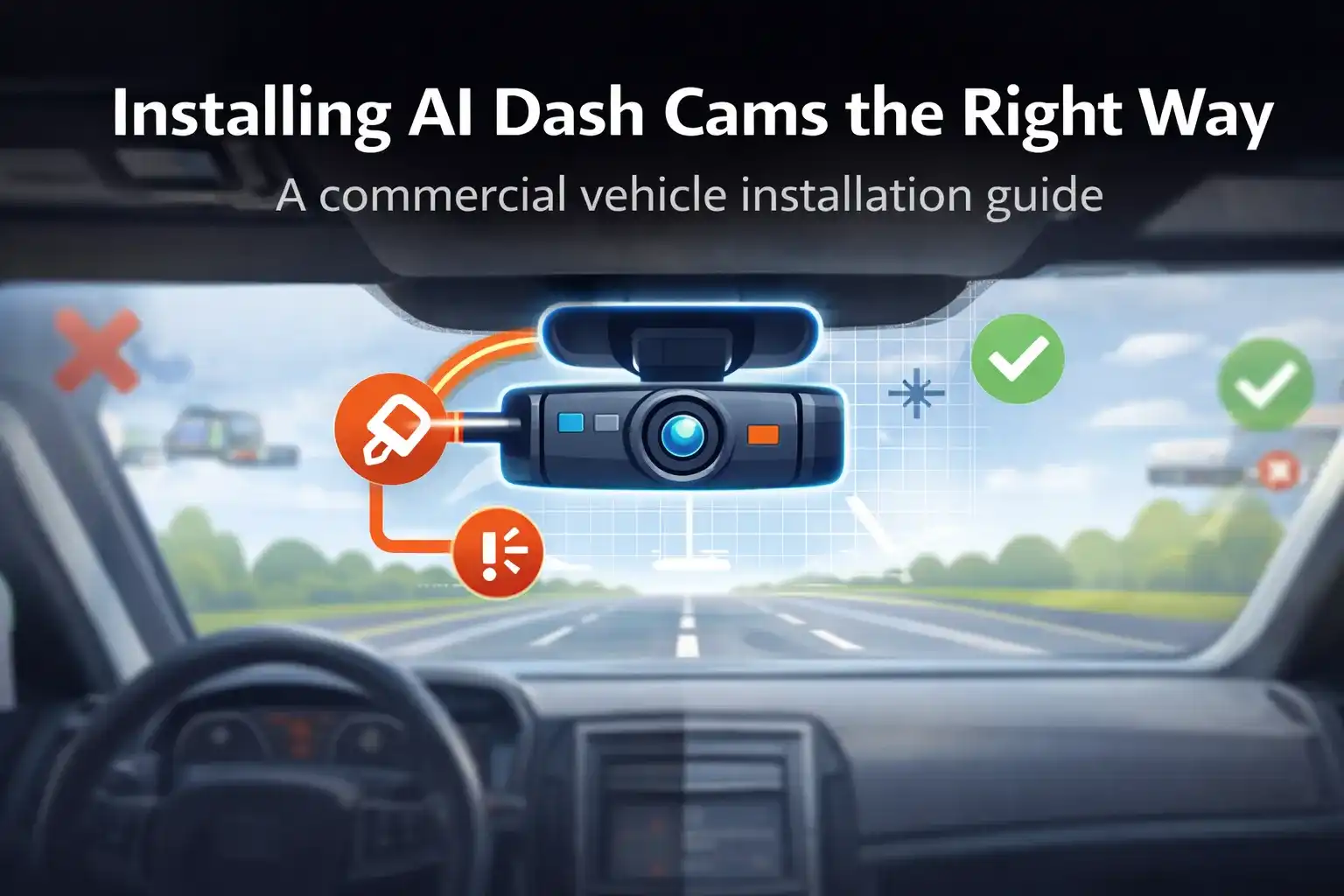
Installing an AI dash cam in a commercial vehicle requires correct camera placement, secure power connection, proper calibration, and standardised installation across vehicles. For fleets, installation quality directly impacts alert accuracy, driver trust, and long-term safety performance—making installation a critical part of any AI dash cam deployment.
Why Proper Installation Matters More in Commercial Vehicles
For commercial fleets, an AI dash cam is a safety system, not an accessory. If it is installed incorrectly, the system may still "work," but the quality of insights drops sharply.
Common fleet-level consequences of poor installation include:
- A small installation mistake repeats across dozens or hundreds of vehicles
- Poor placement leads to false alerts
- Inconsistent setups reduce driver trust in the system
- Bad wiring causes downtime and maintenance issues
This is why installation must be treated as a standardised operational process, not a one-time setup task.
Understanding AI Dash Cam Components Before Installation
Before installing an AI dash cam in a commercial vehicle, it's important to understand what you are installing and why each component matters.
Road-Facing Camera
This camera monitors:
- Lane position
- Vehicle distance
- Road conditions
- Traffic behaviour
It must have a clear, unobstructed forward view to ensure accurate ADAS alerts.
Driver-Facing Camera (If Applicable)
Driver-facing cameras support:
- Drowsiness detection
- Distraction alerts
- Seatbelt and posture monitoring
For commercial use, placement must balance accuracy and driver comfort.
Power Source and Connectivity
Commercial vehicles typically use:
- Ignition-based power (preferred for fleets)
- Fuse-box connections
Stable power ensures:
- No unexpected shutdowns
- Consistent data capture
- Reduced hardware wear
Mounting Hardware
Fleet vehicles experience:
- Higher vibration
- Longer operating hours
Mounts must be:
- Firm
- Vibration-resistant
- Tamper-resistant
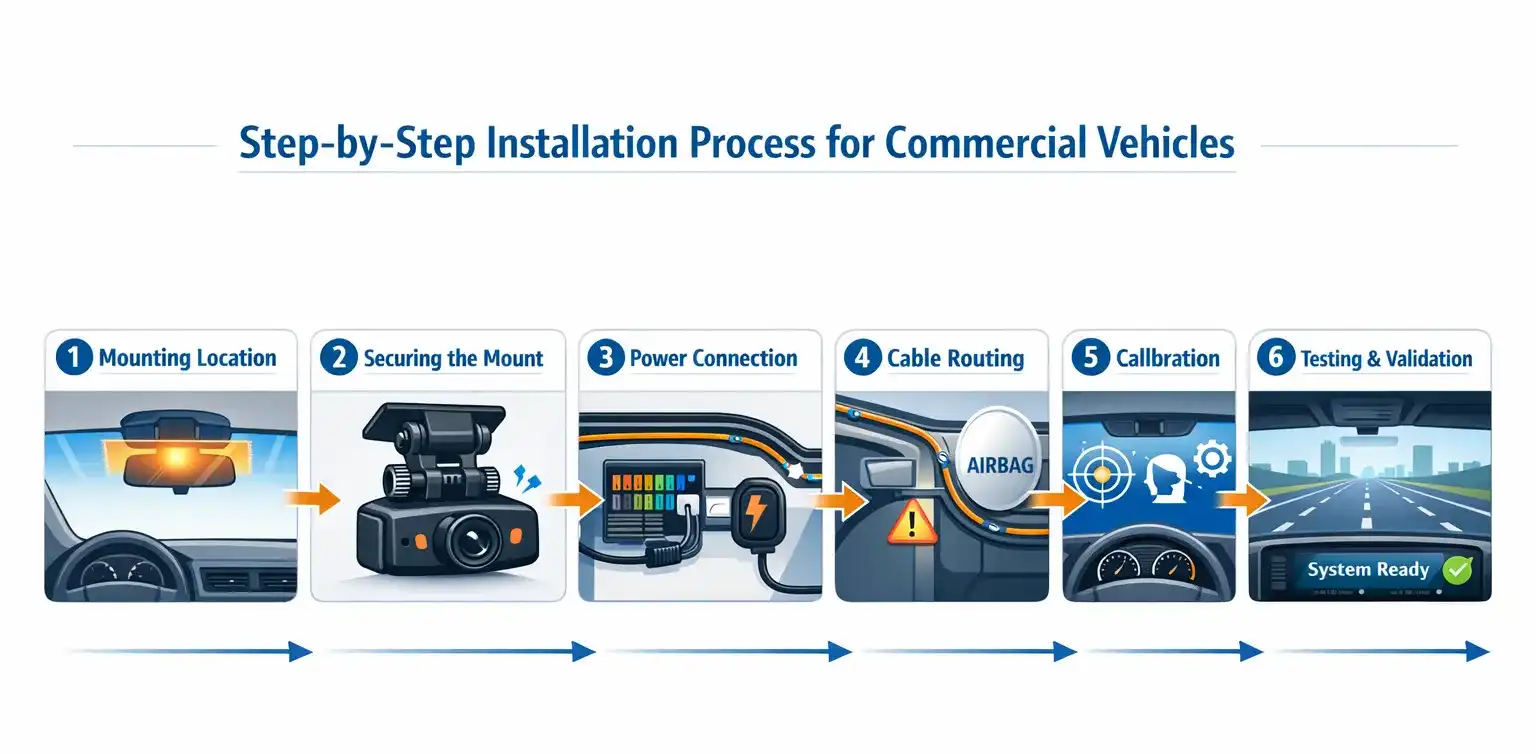
Step-by-Step Installation Process for Commercial Vehicles
This step-by-step approach is designed for repeatable fleet deployment, not one-off installs.
Step 1: Identify the Correct Mounting Location
For road-facing cameras:
- Mount behind the windshield, near the rear-view mirror
- Ensure the camera does not obstruct the driver's view
- Avoid tint strips or stickers
For fleets, consistency matters. The same placement should be used across all vehicles.
Step 2: Secure the Camera Mount Properly
Once the position is identified:
- Clean the mounting surface
- Fix the mount firmly
- Allow adhesive mounts time to set
Loose mounts cause:
- Shaky footage
- Inaccurate AI detection
- Frequent recalibration needs
Step 3: Connect to a Reliable Power Source
For commercial vehicles:
- Use ignition-linked power where possible
- Avoid temporary power sources
Professional installers usually connect directly to the fuse box to ensure:
- Automatic start and shutdown
- Battery protection
- Stable voltage supply
Step 4: Route Cables Safely and Cleanly
Cable routing is often overlooked but extremely important.
Best practices include:
- Keeping cables away from airbags
- Avoiding sharp edges
- Hiding cables to prevent tampering
Clean routing improves:
- Safety
- Vehicle aesthetics
- Maintenance ease
Step 5: Configure and Calibrate the AI System
After installation, calibration is critical.
This includes:
- Adjusting camera angles
- Aligning lane detection
- Setting driver monitoring parameters
Without calibration, even a perfectly mounted camera can produce unreliable alerts.
Step 6: Test Before Fleet-Wide Deployment
Before approving the installation:
- Test video clarity (day and night)
- Trigger sample alerts
- Confirm data sync
Testing ensures issues are caught before scaling across the fleet.

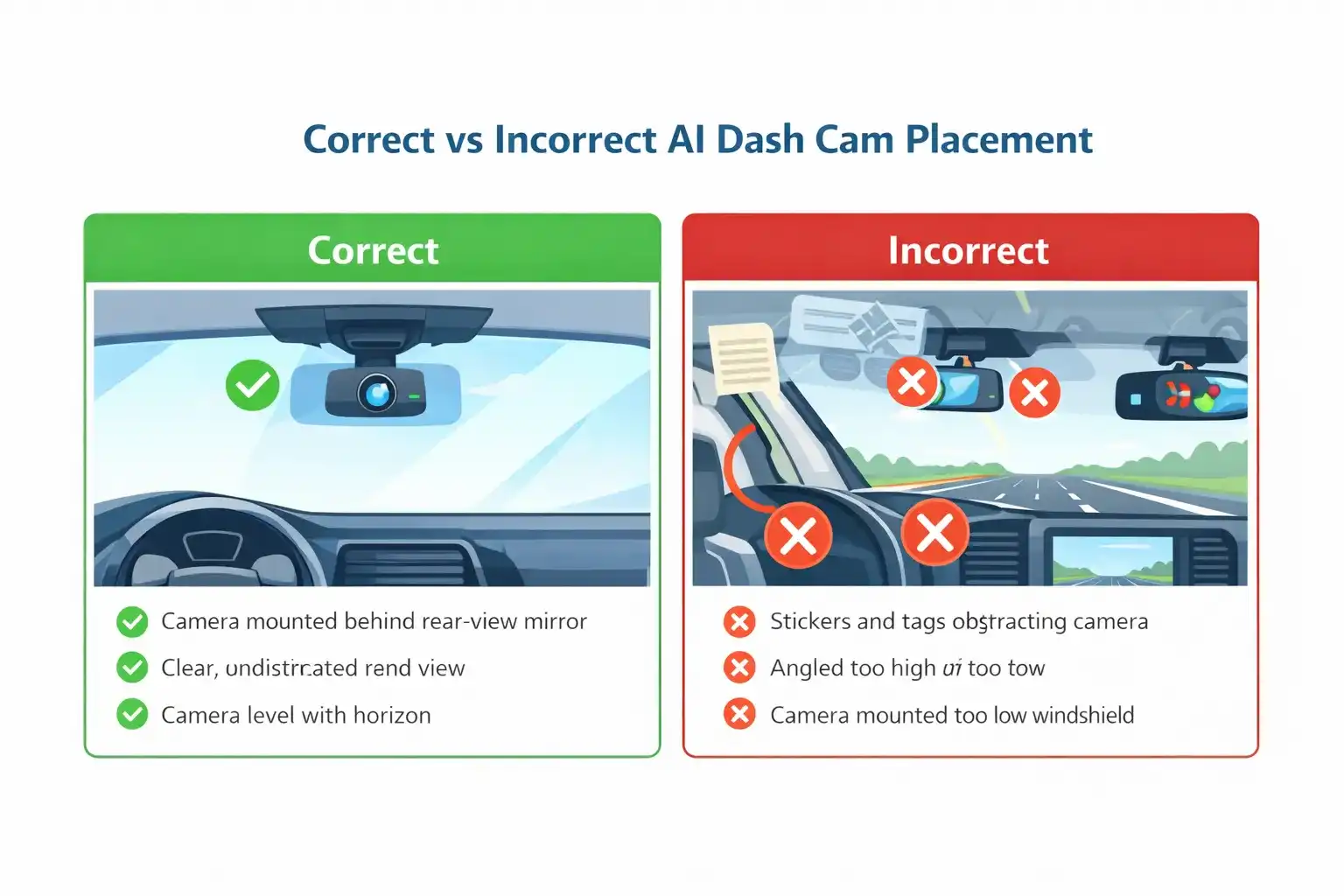
Recommended Camera Placement for Accurate AI Detection
Placement directly affects AI accuracy.
Key placement guidelines:
- Camera should be level with the road horizon
- No obstruction from wipers or dashboard accessories
- Driver-facing cameras should capture the face clearly without intrusion
Even small deviations can:
- Trigger false alerts
- Miss critical events
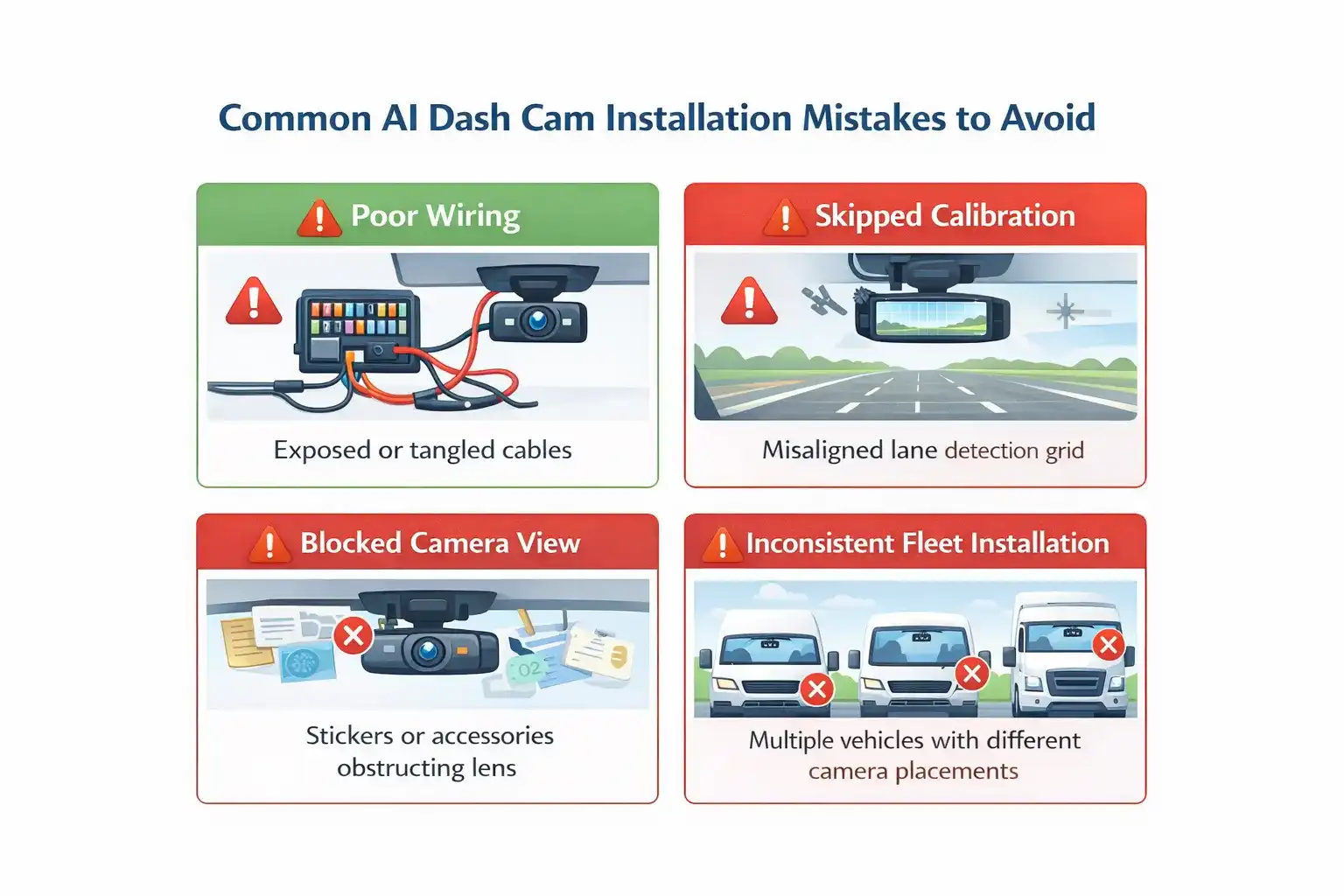
Common Installation Mistakes Fleets Should Avoid
Installing the Camera Too High or Too Low
This affects:
- Lane detection
- Distance measurement
- Collision alerts
Blocking the Camera's Field of View
Objects like:
- Stickers
- GPS mounts
- Toll tags
can interfere with AI detection.
Skipping Calibration
Skipping calibration is one of the most common causes of:
- Incorrect alerts
- Driver complaints
- Low system adoption
Using Different Installation Standards Across Vehicles
Inconsistent installation leads to:
- Inconsistent data
- Difficult comparisons
- Poor analytics
Standardisation is essential for fleet intelligence.
In-House Installation vs Professional Installation
When In-House Installation Works
- Small fleets
- Technical teams available
- Simple single-camera setups
When Professional Installation Is Safer
- Medium to large fleets
- Dual-camera systems
- Advanced AI calibration required
Professional installation reduces long-term issues and ensures faster deployment.
How Installation Impacts Long-Term Safety Performance
A well-installed AI dash cam:
- Builds driver trust
- Produces reliable alerts
- Enables meaningful coaching
A poorly installed system:
- Feels intrusive
- Produces noise instead of insight
- Fails to deliver safety improvements
Installation quality directly influences return on safety investment.
Frequently Asked Questions About AI Dash Cam Installation
Final Thoughts: Installation Is Part of Safety, Not Just Setup
Installing an AI dash cam is not a technical checkbox—it is a safety decision.
For commercial fleets, the way an AI dash cam is installed directly influences:
- The accuracy of safety alerts
- Driver confidence and acceptance
- The reliability of long-term safety insights
When installation is handled thoughtfully and consistently across vehicles, AI dash cams move beyond being cameras. They become quiet enablers of safer driving, better discipline, and fewer avoidable incidents.
For organisations that prefer installation to be handled by professionals who understand both fleet operations and safety systems, working with a single partner simplifies the process. Platforms like Yatis combine AI dash cam technology with deployment, standardisation, and ongoing support—making it easier for fleets to focus on safety outcomes rather than setup details.
Need Help Installing AI Dash Cams for Your Fleet?
Get expert guidance on AI dash cam installation, standardization, and deployment for your commercial fleet.
Contact Us Today →