

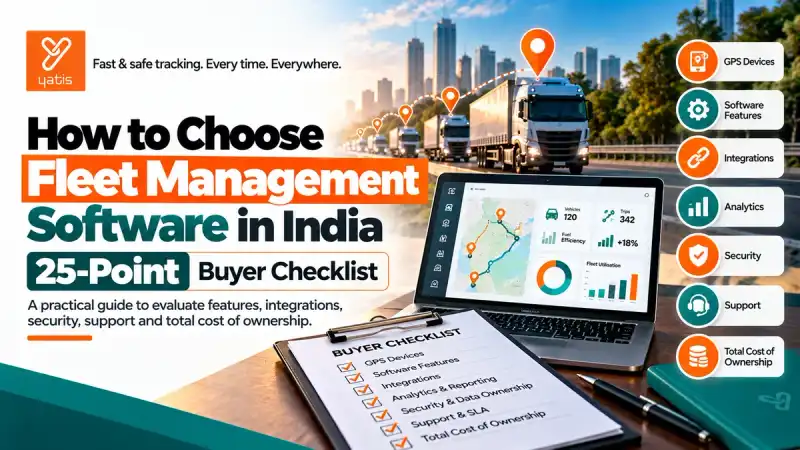
How to Choose Fleet Management Software in India: 25-Point Buyer Checklist

A five-stage buying process
requirements
technology
evidence
pilot
total cost
Why Fleet Management Software Selection Matters in India
Fleet operations in India can span dense urban traffic, long-haul highways, rural routes, multiple depots, variable mobile-network coverage and different vehicle types. A platform that looks strong in a demo may still struggle with your routes, devices, reports or day-to-day workflows.
The right software should help answer practical questions: Where are vehicles? Are trips following the plan? Which vehicles are underused? Where are fuel or time being wasted? Which safety events need attention? Can teams act without spending hours reconciling spreadsheets?
Start with must-have requirements before comparing products. Explore Yatis GPS Tracking System and the wider Yatis fleet and IoT solutions as part of your research.
1. Requirements: Define the Problem First
Do not begin with a vendor feature list. A logistics fleet, school transport operator, field-service business and construction fleet can need very different workflows.
- List vehicle categories, fleet size, locations and operating hours.
- Identify recurring problems: delayed trips, route deviations, fuel leakage, idling, maintenance downtime, safety incidents or manual reporting.
- Identify users: dispatchers, fleet managers, finance, safety, maintenance, customers and leadership.
- Set a baseline and define what measurable improvement would look like.
| Use case | Questions to ask | Evidence of fit |
|---|---|---|
| Dispatch | Can teams locate vehicles and understand trip status? | Live map, route history, trip playback and useful alerts. |
| Fuel and cost | Can it surface fuel use, idling and exceptions? | Clear data sources and exportable reports. |
| Safety | Can it detect supported driving events? | Defined events, configurable thresholds and coaching workflows. |
| Utilisation | Can we see trips, active time and downtime? | Consistent metrics by vehicle, depot and period. |
| Compliance | Which requirements apply to our exact use case? | Documented support for relevant rules and vehicle categories. |
2. Device: Assess Hardware and Connectivity
Software cannot compensate for unsuitable hardware, poor installation or incomplete data. Ask vendors to identify the exact device models proposed for your vehicle types.
- Which vehicle types and electrical systems are supported?
- How is the device powered, installed and protected against tampering?
- Which data comes from GPS/GNSS, vehicle interfaces, sensors or manual entry?
- What happens during mobile-network loss or GPS signal gaps?
- Can data be buffered locally and uploaded when connectivity returns?
- How are firmware updates, faults and replacements handled?
- Can the vendor demonstrate performance on your routes?
Read What Data Does a Telematics Device Collect From a Vehicle? for a general overview of vehicle data.
3. Software: Test the Everyday User Experience
Ask the vendor to perform real tasks instead of showing only polished dashboards.
- Find a vehicle and check its last reported location.
- Replay a trip and investigate an unexplained stop.
- Create a geofence or alert and show who receives it.
- Filter by depot, vehicle type, customer or operating status.
- Export a report without vendor assistance.
- Test the interface on devices your team actually uses.
Also assess role-based access, dashboard speed, search, report scheduling, audit history and onboarding effort.
4. Integrations: Avoid Another Data Silo
Fleet software may need to exchange information with ERP, transport management systems (TMS), order management, maintenance tools, fuel systems, payroll or business intelligence platforms.
| Integration area | What to verify |
|---|---|
| API | Documentation, authentication, limits, versioning and support. |
| Exports | Clean CSV/XLSX and scheduled reporting without manual rework. |
| ERP/TMS | Consistent vehicle, driver, trip, job and customer identifiers. |
| BI | Ability to feed approved data into your reporting environment. |
| Portability | Usable data export if the contract ends. |
“API available” is not the same as a tested, supported integration. Ask for a demonstration of a relevant integration.
5. Analytics: Turn Tracking Data Into Action
Ask how each metric is calculated, which source feeds it, how missing data is handled and whether the result can be exported. Compare a sample of platform results against known trip records. A dashboard is only useful when its definitions are clear and the data is reliable.
6. Support: Confirm the Post-Launch Service Model
- What are support hours and escalation channels?
- Are response and resolution targets documented in an SLA?
- Who handles installation, device replacement and troubleshooting?
- Is onboarding and role-based training included?
- Is there a named implementation contact?
- How are outages, maintenance windows and product changes communicated?
7. Security and Privacy: Ask for Specific Controls
Fleet platforms can store location histories, driver identifiers, trip records, video and commercially sensitive information. Assess security before deployment.
- How is data protected in transit and at rest?
- Are roles and permissions configurable?
- Are multi-factor authentication and audit logs available?
- Where is data hosted, and which subprocessors handle it?
- What are the retention, deletion, backup and incident-response policies?
- Can data be exported and deleted at contract end?
- What security documentation or independent assurance is available?
For India deployments, review the applicability of the MeitY data-protection framework and seek qualified advice for your specific obligations. A general vendor statement is not proof of compliance for every deployment.
8. Total Cost of Ownership: Compare the Full Cost
Headline pricing can hide device, installation, connectivity, storage, integration and support costs. Compare all shortlisted vendors over the same contract period and fleet size.
Total Cost of Ownership
Calculate cost per vehicle per month and total cost over the evaluation period. Include one-time and recurring charges.
| Cost item | Questions to clarify |
|---|---|
| Hardware | Purchase/rental, warranty, replacement and end-of-life terms? |
| Installation | Per vehicle, per site, travel or reinstallation costs? |
| Connectivity | SIM/data included? Any fair-use limits? |
| Platform | Per vehicle, user, module, event or data volume? |
| Storage/video | Retention period, streaming and upload charges? |
| Integration | Setup fees, API fees, custom development and maintenance? |
| Exit | Data export, migration and termination fees? |
Do not assume the most expensive product is best—or that the cheapest is best value. Compare cost with the specific outcomes your fleet needs.
9. Pilot: Test Before Scaling
- Choose representative vehicles, drivers and routes.
- Agree on success criteria before the pilot starts.
- Test tracking, trip history, alerts, reports and connectivity.
- Compare selected records against known facts to check data completeness.
- Test integrations and exports with real identifiers.
- Record user feedback, support response and installation issues.
- Calculate projected TCO using actual pilot setup costs.
- Document gaps, fixes, owners and deadlines before rollout approval.
10. The 25-Point Fleet Software Buyer Checklist
Use this checklist during vendor demos, technical reviews and procurement. Ask each vendor to provide evidence for every “yes.”
25-point buyer checklist
- Have we documented the operational problems the platform must solve?
- Have we defined fleet size, vehicle types, sites and user groups?
- Have we prioritised must-have features over optional ones?
- Does the hardware support our vehicles and installation needs?
- Are device models and required certifications documented?
- Can the system handle our routes and connectivity challenges?
- Does it provide live location and last-reported timestamps?
- Can users replay trips and investigate stops or deviations?
- Can we configure geofences, alerts and recipients?
- Are driver/vehicle events defined and supported by the hardware?
- Can users complete common tasks without vendor assistance?
- Can reports be filtered, scheduled and exported?
- Are metric formulas and data sources documented?
- Does it integrate with required ERP/TMS/maintenance/fuel/BI tools?
- Are API documentation, limits and support responsibilities clear?
- Can we retrieve and migrate our data at contract end?
- Are onboarding and training included?
- Are support hours, escalation paths and SLAs documented?
- Are access controls and audit logs appropriate to our risk?
- Are data location, retention, deletion and incident response clear?
- Have we reviewed applicable privacy and regulatory obligations?
- Have we listed all one-time and recurring costs?
- Have we calculated TCO over the same period for all vendors?
- Have we completed a representative pilot against written criteria?
- Have stakeholders approved results, risks and the rollout plan?
How to Score Vendors Fairly
Agree on scoring weights before evaluating vendors. The following is an illustrative starting point, not an industry standard.
| Category | Illustrative weight | What to score |
|---|---|---|
| Operational fit | 20% | Priority use cases and workflow fit. |
| Device/data reliability | 20% | Performance on representative routes and vehicles. |
| Software/analytics | 15% | Usability, reports and metric quality. |
| Integration/portability | 10% | Tested interfaces, exports and ownership. |
| Support/implementation | 10% | Onboarding, SLAs and escalation. |
| Security/governance | 10% | Access, retention, documentation and privacy. |
| Total cost | 15% | Full contract-period cost and clarity. |
Mandatory legal, safety or security requirements should be pass/fail gates; a high score elsewhere should not compensate for failure.
When to Consider Yatis
After defining requirements and comparing vendors neutrally, assess whether Yatis fits your use cases, integrations, operating conditions and support expectations. Yatis offers GPS tracking and broader fleet/IoT solutions that may be relevant for teams seeking vehicle visibility, route history, alerts and connected fleet workflows.
Explore the Yatis GPS Tracking System and the broader Yatis product portfolio. Request a demo against your own criteria and validate the fit through a pilot before a full rollout.
Frequently Asked Questions
External Sources & Further Reading
- MeitY — Data Protection Framework
- CERT-In — Indian Computer Emergency Response Team
- TRAI — Telecom Regulatory Authority of India
Verify current obligations and technical requirements for your particular deployment. Regulatory applicability depends on vehicle category, use case, state and contract.
Ready to get started?
Use this 25-point checklist to evaluate Yatis Telematics against your fleet's requirements and run a pilot with your own vehicles and routes.
Contact Us →