

Vehicle Diagnostics · Technical Buyer’s Guide
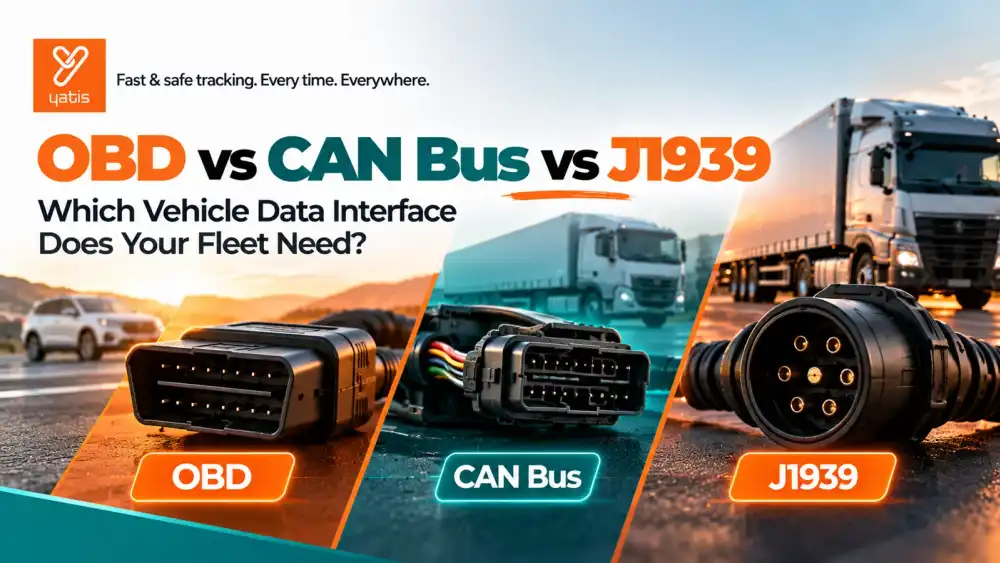
OBD vs CAN Bus vs J1939: Which Vehicle Data Interface Does Your Fleet Need?
Understand the difference between diagnostic access, vehicle communication networks and heavy-duty protocols—then choose a telematics interface based on the vehicles you operate and the data you actually need.

Three terms, three different roles
They overlap in real vehicle systems, but they do not describe the same layer of the data stack.
When comparing fleet telematics devices, the terms OBD, CAN bus and J1939 often appear together. They can sound like competing plug-in options, but the comparison is more nuanced. One term describes diagnostics and how diagnostic information is accessed; another describes a communication network; and the third describes a protocol family used for exchanging structured data in many heavy-duty applications.
Getting this distinction right helps avoid buying a device that physically connects to a vehicle but cannot provide the data your fleet needs. It also helps engineering and procurement teams ask better questions about engine parameters, diagnostic trouble codes, fuel and operating data, compatibility, installation and maintenance workflows.
1. Definitions: What Are OBD, CAN Bus and SAE J1939?
OBD: On-Board Diagnostics
OBD is a vehicle diagnostic system and the associated methods used to access supported diagnostic information. Depending on the vehicle and standard, this can include diagnostic trouble codes and selected emissions-related or powertrain parameters.
CAN bus: Controller Area Network
CAN is a communication network that allows electronic control units (ECUs) and other devices to exchange messages. CAN itself does not define every vehicle parameter or guarantee that a connected tracker can interpret all messages.
SAE J1939
J1939 is a family of communication protocols widely used in heavy-duty vehicle and equipment applications. J1939 networks commonly use CAN as the underlying data-link technology, with defined message structures and parameter conventions.
In short, OBD is about diagnostic information and access, CAN is about network communication, and J1939 defines how certain vehicle data is communicated within its protocol family. The same vehicle may use CAN internally, provide diagnostic access through a connector and expose supported J1939 messages to compatible equipment.
For background, see the ISO 15031-3:2023 diagnostic connector specification, the SAE J1939 network overview, and the IEEE overview of Controller Area Networks.
2. What Data Can Each Interface Expose?
Available data is determined by more than the interface label. It depends on vehicle make and model, model year, ECU configuration, diagnostic standard, protocol support, access permissions, telematics hardware and software decoding. Treat the examples below as typical possibilities—not a guarantee that every vehicle exposes every item.
| Data category | OBD diagnostic access | CAN network access | SAE J1939 support |
|---|---|---|---|
| Diagnostic trouble codes | Often available for supported diagnostic systems and codes. | May be carried in network messages, but decoding requires protocol knowledge and access. | Supported diagnostic messages may be available depending on vehicle and implementation. |
| Engine speed / selected live parameters | Common supported parameters may be accessible, subject to vehicle and standard. | Potentially available if the signal is present and correctly decoded. | Common engine parameters may be available through supported parameter groups. |
| Vehicle speed / operating data | Some standardised parameters may be available. | May be present on the network; availability and interpretation vary. | May be available through relevant messages and parameter definitions. |
| Fuel-use information | Availability varies; not every vehicle provides the same fuel data through OBD. | May be exposed by a vehicle ECU, but requires valid signal definitions. | Some supported heavy-duty vehicles expose fuel-related parameters. |
| Engine hours / total operating time | Not universally exposed through standard OBD data. | May be present as a vehicle-specific or protocol-defined signal. | Often a relevant requirement to check for heavy-duty applications; verify support on the target vehicle. |
| Transmission, after-treatment or auxiliary-system data | Access varies and may require manufacturer-specific diagnostics. | Can be available if the relevant ECU sends accessible messages. | May be available for supported systems and parameter groups, depending on OEM implementation. |
| Location and route history | Not provided by the diagnostic interface itself. | Not provided by CAN alone. | Not provided by J1939 alone. A telematics device needs GNSS/location capability. |
3. Compatibility: What Determines Whether It Will Work?
A device can support a protocol in principle and still fail to deliver the exact data needed from a particular vehicle. Compatibility must be checked across the complete path—from the vehicle’s electronic architecture to the telematics platform.
| Compatibility check | What to verify | Why it matters |
|---|---|---|
| Vehicle identity | Make, model, model year, engine, fuel type and vehicle class. | Vehicle electronics and supported signals can vary across variants. |
| Physical connection | Diagnostic connector, OEM connector, wiring harness, pinout and installation access. | A familiar-looking connector does not prove protocol or parameter compatibility. |
| Protocol and decoding | OBD standard, CAN variant, J1939 version/profile or manufacturer-specific support as applicable. | Raw network traffic is not useful until the device can interpret the relevant messages. |
| Required data points | Fault codes, engine hours, fuel, temperature, odometer or other specific fields. | “Supports CAN” or “supports OBD” may be too broad to confirm a business requirement. |
| Read-only versus control | What the device reads, writes or can command, and how access is secured. | For fleet monitoring, read-only collection is often the safer default unless a documented control use case requires otherwise. |
| Platform integration | Data transmission frequency, event alerts, historical retention, API/export and maintenance workflow. | Collected data must be usable by dispatch, maintenance and reporting teams. |
4. Why J1939 Matters for Heavy Vehicles
Heavy-duty trucks, buses, construction equipment, agricultural machinery and certain stationary applications may use SAE J1939 for communication between electronic systems. SAE describes J1939 as a network family intended for heavy-duty environments, including on-highway and off-highway vehicles and equipment.
In a J1939 system, messages are organised using defined identifiers and parameter conventions. Terms such as PGN (Parameter Group Number) and SPN (Suspect Parameter Number) are useful when reviewing technical documentation and data maps. In simplified terms, a PGN identifies a message or parameter group, while an SPN identifies a particular parameter within the J1939 framework. The exact interpretation depends on the relevant J1939 documents and vehicle implementation.
For a mixed fleet, J1939 support may be important for heavy vehicles where a basic passenger-car OBD feature list does not cover the required data. But do not assume all trucks expose identical parameters, or that every device supporting J1939 can read every OEM-specific signal. Confirm the exact model and data points during a pilot.
Read the SAE J1939 top-level document for the network family’s scope and document structure.
5. Limitations and Common Procurement Mistakes
Mistake 1: Treating CAN as a complete data specification
CAN carries messages; it does not automatically tell a fleet platform what every message means. Signal definitions, message identifiers, scaling, byte order, access rights and OEM-specific documentation may be needed.
Mistake 2: Assuming OBD means every engine or maintenance field is available
OBD provides access to supported diagnostic information, not an unrestricted feed of every ECU value. Standardised data, manufacturer-specific diagnostics and advanced service functions are not interchangeable.
Mistake 3: Assuming all heavy vehicles use the same data map
J1939 is widely used in heavy-duty applications, but the actual parameter set can vary by manufacturer, vehicle configuration, engine, year and enabled functions.
Mistake 4: Buying based on connector fit alone
A plug that fits is not proof that the device can read the required protocol or deliver the fields into your software. Ask for a compatibility matrix and test it on representative vehicles.
Mistake 5: Ignoring installation, safety and access controls
Vehicle networks may support safety-relevant functions. Confirm approved installation methods, electrical requirements, warranty implications, cybersecurity controls and whether the device is read-only. Do not transmit commands on a vehicle network without an approved, documented use case and qualified engineering review.
6. Vehicle Data Interface Matrix: Which Should Your Fleet Choose?
Use this matrix as a first-pass selection guide. The final choice should be based on vehicle-level validation and the precise data requirements—not a blanket rule that one interface is always better.
| If your fleet needs… | Start by evaluating… | Questions to ask the supplier |
|---|---|---|
| Standard diagnostic trouble codes and selected powertrain data from compatible light vehicles | OBD-capable telematics hardware | Which standards and vehicle models are supported? Are codes and live parameters included? |
| Signals already available on a vehicle network, including non-standard or OEM-specific fields | CAN access plus the required protocol/data decoding | Which messages are decoded? Is the data map licensed, documented and validated for the target model? |
| Engine, operating or diagnostic data from supported heavy trucks, buses or equipment | SAE J1939-capable hardware and platform | Which J1939 parameters are supported? Can you demonstrate engine hours, fault information or other required fields on our vehicle? |
| A mixed fleet with cars, vans, trucks and off-highway equipment | A multi-protocol device portfolio or compatible device per vehicle group | Can one platform normalise data from different devices? How are gaps and unsupported fields identified? |
| Predictive-maintenance analysis | The interface or combination that reliably supplies the signals and service context required | Are readings timestamped? Can alerts, fault history, engine hours and repair records be exported or integrated? |
| Location, geofencing and route tracking alongside vehicle diagnostics | Telematics hardware with GNSS plus the appropriate diagnostic/network interface | Does the unit support both location tracking and the required vehicle data? What are the reporting interval and data-retention limits? |
Vehicle Data Interface Checklist
Before approving a device, document these points for each vehicle group:
- Vehicle make, model, year, engine and operating environment.
- Exact data points required, including fault codes, engine hours, fuel or temperature where relevant.
- Interface and protocol required: OBD, CAN, J1939 or a validated combination.
- Connector, pinout, wiring, installation method and power requirements.
- Supplier-confirmed compatibility for the exact vehicle variant.
- Expected data refresh rate, event handling and history retention.
- Read-only design, security controls and any restrictions on network access.
- Proof-of-concept results from representative vehicles in the actual fleet.
- How missing, unsupported or implausible readings are flagged.
- How the data will be used in fleet management, diagnostics and maintenance workflows.
7. How Vehicle Interfaces Fit Into Fleet Telematics
The interface is only one part of the system. A fleet telematics solution typically combines a vehicle connection, device firmware, connectivity, location capability where required, a cloud platform and reporting or alert workflows. The interface determines which vehicle signals may be accessible; the platform determines how those signals are organised, monitored and used by the fleet team.
For a broader view, explore Yatis’s guide to telematics, the GPS tracking system overview and OBD solutions. For a full product overview, see Yatis products.
Frequently Asked Questions
Are OBD, CAN bus and J1939 the same thing?
No. OBD refers to onboard diagnostics and supported diagnostic access; CAN is a communication network; SAE J1939 is a protocol family widely used in heavy-duty vehicle and equipment applications, often over CAN.
Does CAN bus automatically provide engine data to a telematics device?
No. The device must support the relevant protocol and data definitions, and the vehicle must expose the required signals with appropriate access. A physical CAN connection alone does not guarantee decoded data.
When should a fleet choose J1939?
J1939 is commonly relevant for heavy-duty trucks, buses, off-highway equipment and other supported applications. Confirm the vehicle protocol, required parameters, connector or wiring and device compatibility before deployment.
Can an OBD connector provide all vehicle parameters?
No. Available parameters depend on the vehicle, diagnostic standard, manufacturer implementation, device and permissions. Manufacturer-specific data may require additional support.
What should I verify before buying a fleet telematics device?
Verify vehicle make, model, year and powertrain; required data points; interface and protocol support; connector or wiring; read-only versus control capabilities; update frequency; compatibility testing; installation requirements; and support for your fleet’s maintenance and reporting workflows.
External Technical References
- ISO 15031-3:2023 — Diagnostic connector and related electrical circuits.
- SAE J1939_202603 — Heavy-duty vehicle network top-level document.
- IEEE Technology Navigator — Controller Area Networks.
- U.S. EPA — OBD-II test procedure background.
Standards and regulatory references provide technical context; they do not imply that any particular product supports every vehicle or data point described here.
Choose the interface around your fleet’s data needs
Confirm which vehicle data is available, which models are supported and how diagnostics can feed your day-to-day fleet workflows.
Fast & safe tracking. Every time. Everywhere.
Developer Handoff
ON-PAGE SEO IMPLEMENTATION NOTES — DEVELOPER
Implementation note: this block is a developer handoff, not reader-facing editorial content. Use it internally during implementation and remove or hide it from the public-facing page after the checks are complete.
1. SEO metadata
- SEO title: OBD vs CAN Bus vs J1939: Which Vehicle Data Interface Does Your Fleet Need?
- Meta description: Compare OBD, CAN bus and SAE J1939 for fleet telematics. Understand data access, compatibility, heavy-vehicle use cases and how to choose the right vehicle interface.
- Suggested slug:
/obd-vs-can-bus-vs-j1939/ - Primary keyword: OBD CAN J1939
- Secondary keyword: OBD vs CAN bus vs J1939
- Intent: Technical / commercial investigation
- Cluster: Vehicle Diagnostics
- Linkable asset: Vehicle Data Interface Matrix
2. Semantic keyword and entity coverage
- Primary topic: OBD CAN J1939; OBD vs CAN bus vs J1939.
- Related phrases: vehicle data interface, onboard diagnostics, diagnostic trouble codes, CAN network, SAE J1939 telematics, heavy vehicle diagnostics, PGN, SPN, OBD telematics device, engine hours, vehicle compatibility, fleet vehicle diagnostics.
- Use entities and semantic terms in context. Do not repeat the exact primary keyword unnaturally or add keyword lists to reader-facing copy.
3. Internal linking plan
- What Is Telematics? — broader context for the data-to-platform architecture.
- GPS Tracking System — link from fleet visibility and telematics paragraphs.
- OBD Solutions — link from diagnostic access and selection sections.
- Products — product discovery route.
- Confirm all URLs return HTTP 200, are indexable and have canonical URLs. Update anchors if the site’s live URLs differ.
4. External technical sources
- ISO 15031-3:2023:
https://www.iso.org/standard/84210.html - SAE J1939 top-level document:
https://saemobilus.sae.org/standards/j1939_202603-serial-control-communications-heavy-duty-vehicle-network-top-level-document - IEEE CAN overview:
https://technav.ieee.org/topic/controller-area-networks/ - U.S. EPA OBD-II background PDF:
https://www.epa.gov/sites/default/files/2018-02/documents/table_e_ut_section_x_vehicle_inspection_and_maintenance_program.pdf - Keep external references relevant, use
rel="noopener noreferrer"for links opening in a new tab and never imply a standards body endorses Yatis.
5. Structured data
- Article and FAQPage JSON-LD are included. Ensure the FAQ content remains visible on the published page and structured answers match the visible copy.
- Update canonical URL, author, publisher and dates to match the CMS. Do not fabricate author credentials or publication dates.
- Validate with Google Rich Results Test and Schema Markup Validator. FAQ rich-result display is not guaranteed.
6. Technical SEO and accessibility
- Maintain one H1 and logical H2/H3 hierarchy; preserve the comparison matrix as accessible HTML table markup.
- Set the final canonical and Open Graph URL to the published URL; add a custom 1200×630 or 16:9 social image in the CMS.
- If an infographic image is added, use a descriptive filename and useful alt text. Keep critical information in HTML text, not image-only text.
- Check mobile table scrolling, contrast, keyboard navigation, page speed and Core Web Vitals.
- Add the page to the XML sitemap and relevant internal links. Request indexing after publication.
7. AEO and content-quality guidance
- Keep the quick-answer block near the top; it answers the core comparison in concise, extractable language.
- Preserve the definitions, data matrix, selection matrix, checklist and FAQs in rendered HTML.
- Keep technical distinctions precise: OBD is not simply a physical plug, CAN is not a complete data dictionary, and J1939 support does not guarantee every OEM parameter.
- Validate claims against the target vehicle models and device capabilities before converting examples into product promises.
8. Editorial and commercial QA
Before publication, have a technical reviewer verify all interface descriptions and the specific Yatis OBD claims against current product documentation. If the site already has an overlapping vehicle-diagnostics article, define the unique query focus and link between pages rather than publishing competing versions.